Guest Preference
Report parameters
|
Field |
Description |
|---|---|
|
Report Name |
The name of the report. |
|
Start Date |
The start date from when the data must be considered for generating the report. |
|
End Date |
The end date until when the data must be considered for generating the report. |
|
Building Codes |
Search for and select the preferred building code from the drop-down list. All buildings created in the Building Codes screen (Settings à Setup à Room à Building Codes) are displayed here as options in the drop-down list. Users can select multiple or all building codes from the drop-down list. |
|
Preference Category |
Search for and select the preferred preference category from the drop-down list. All preference categories created in the Preference Categories screen under the General menu (Settings à Setup) are displayed here as options in the drop-down list. Users can select multiple or all preference categories from the drop-down list. |
Sample Report
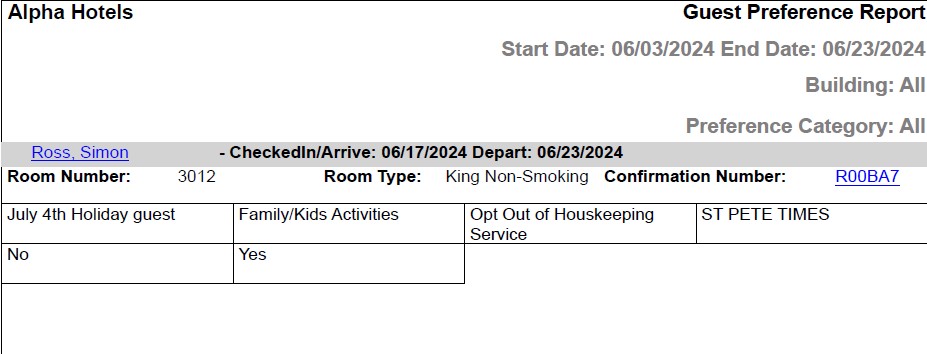
Report Fields
|
Field |
Description |
|---|---|
|
Guest Name |
The first name and last name of the guest will appear as a hyperlink and clicking it will navigate the user to the guest record. |
|
Arrive |
The date of arrival of guest. |
|
Depart |
The date of departure of guest. |
|
Room Number |
The room number of the guest. |
|
Room Type |
The room type to which the room number belongs. |
|
Confirmation Number |
The confirmation number of the reservation will appear as a hyperlink and clicking it will navigate the user to the reservation record. |